Turning on (and off) the PA
Overview
Turning on:
- Turn on Switch 1 + 2 in North West corner
- Turn on Mixing Console - wait 10 seconds
- Turn the rest of the PA on (switches 3, 4, 5 & 6)
Turning off:
- Shutdown the Mixing Console
- Turn off the PA (switches 3, 4, 5 & 6)
- Finally switch off switches 1 + 2 (the Stage + Sound Desk power)
Detailed
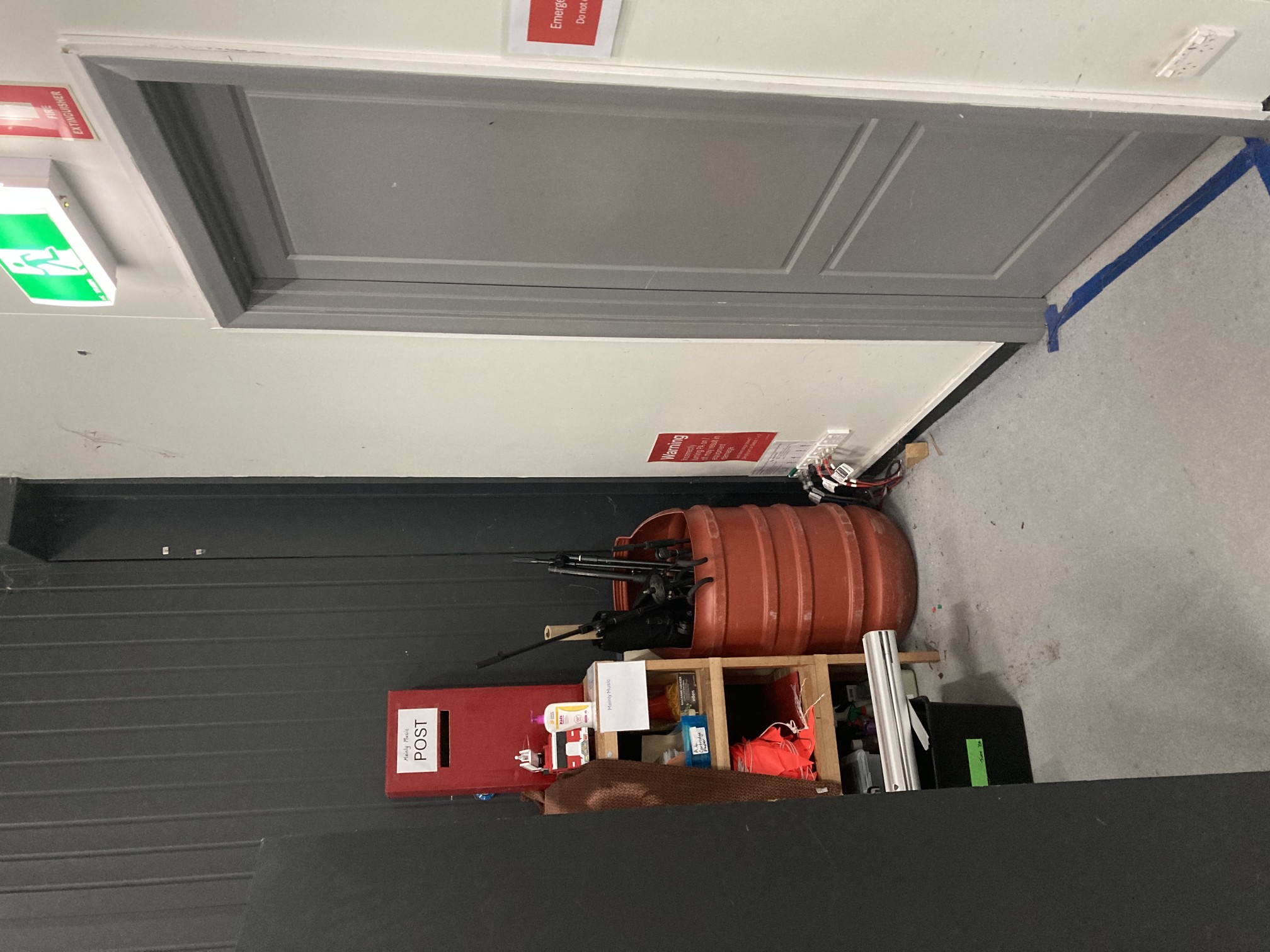
The power circuits for the Auditorium are located in the North West corner (beside the single door leading into the Cafe / Foyer area). They need to be turned on the correct sequence to avoid damaging the PA.
Turning on
- Turn on Switch 1 + 2 in North West corner
This will provide power to the stage and the sound desk.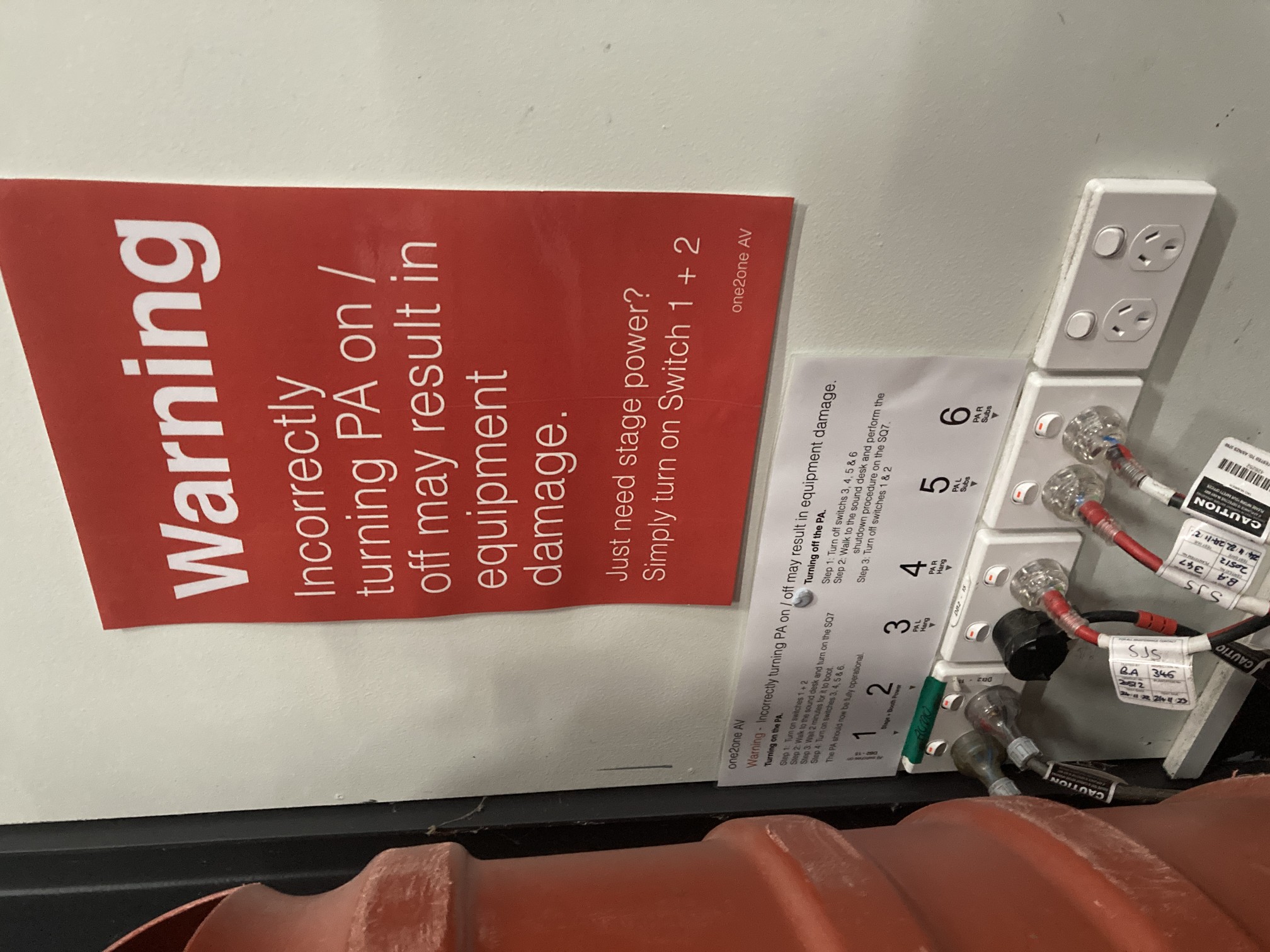
- Turn on the Sound Desk / Allen & Heath SQ7
Slide your hand down the rear right hand side of the console. Towards the bottom you'll find a button, when it's pressed in, the console is on. After 10 seconds the console should have completed it's booting sequence.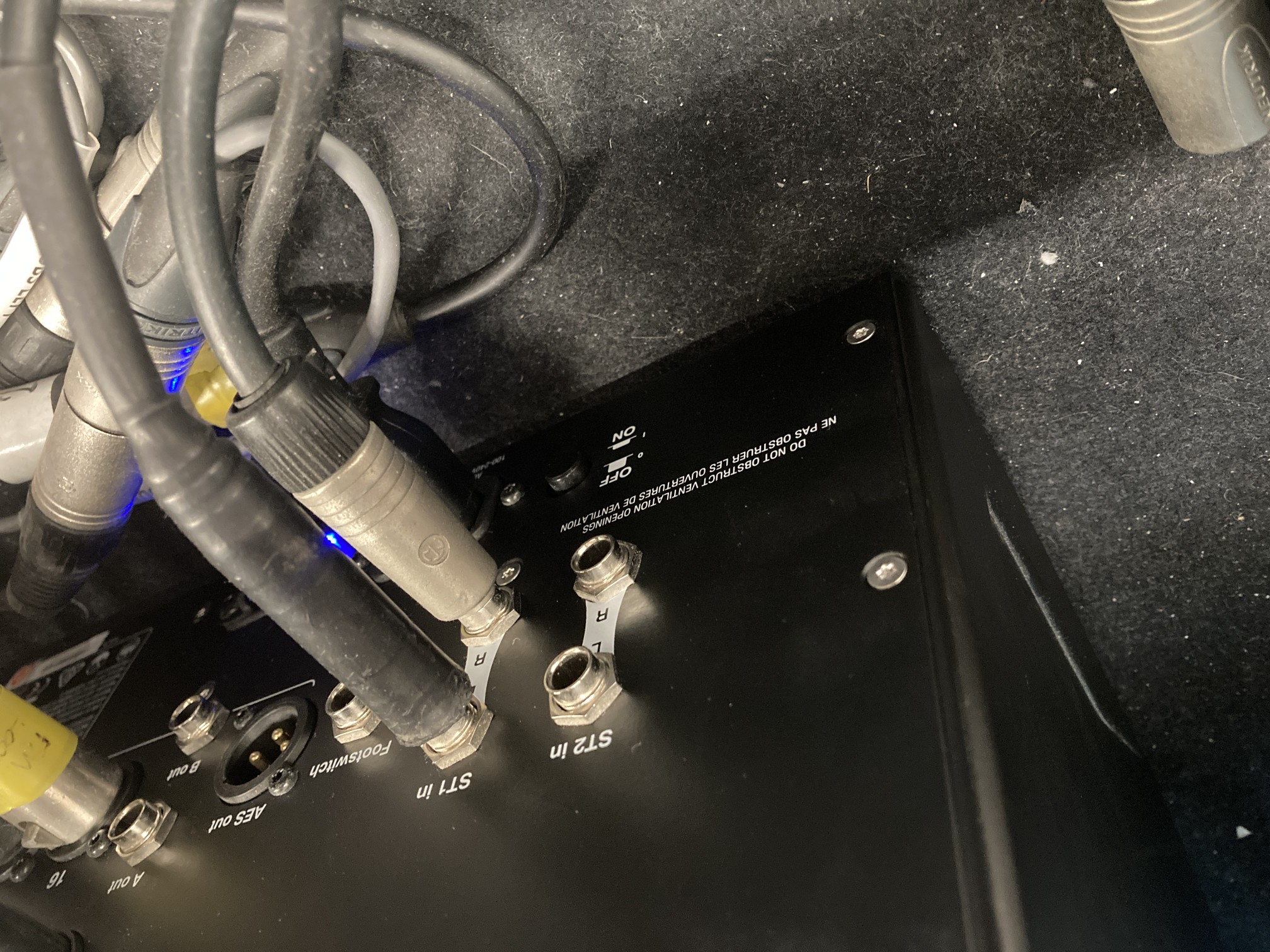
- Turn on the PA speakers
Switch on switches labelled 3, 4, 5 & 6. Each 'section' of the PA is connected to one of these switches.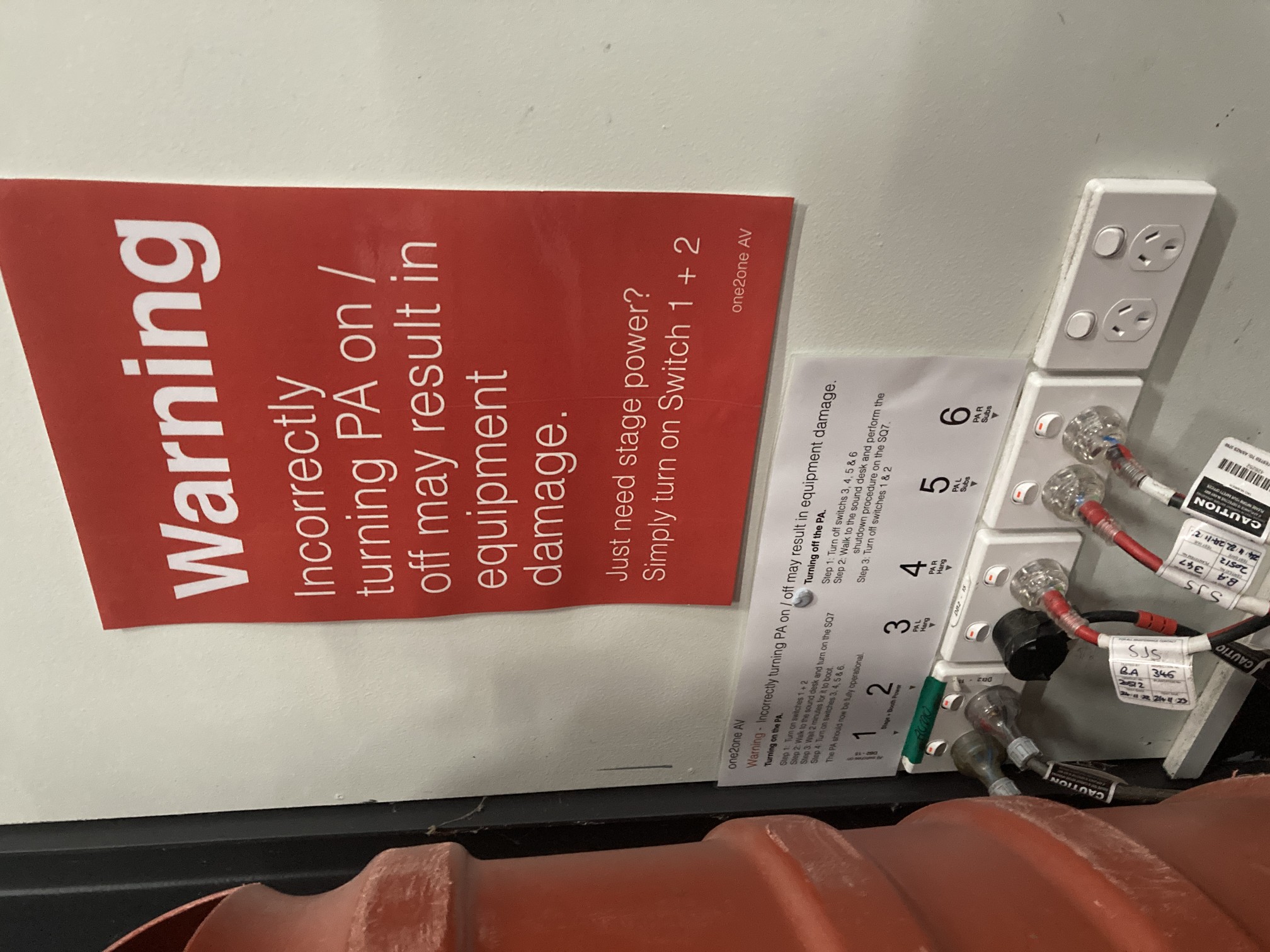
Turning off
- Shutdown the mixing console
Press the 'Processing' button below the touch screen of the console twice to bring up a main menu, then tap 'Power off' on the screen. Do not press the physical button yet. - Switch off the PA Speakers by switching off the switches labelled 3, 4, 5 & 6.
- Switch off the Mixing console by pressing the the rear button.
- Switch off the remaining power switches.