Turning on / off the Stage Lighting
Overview
Turning on
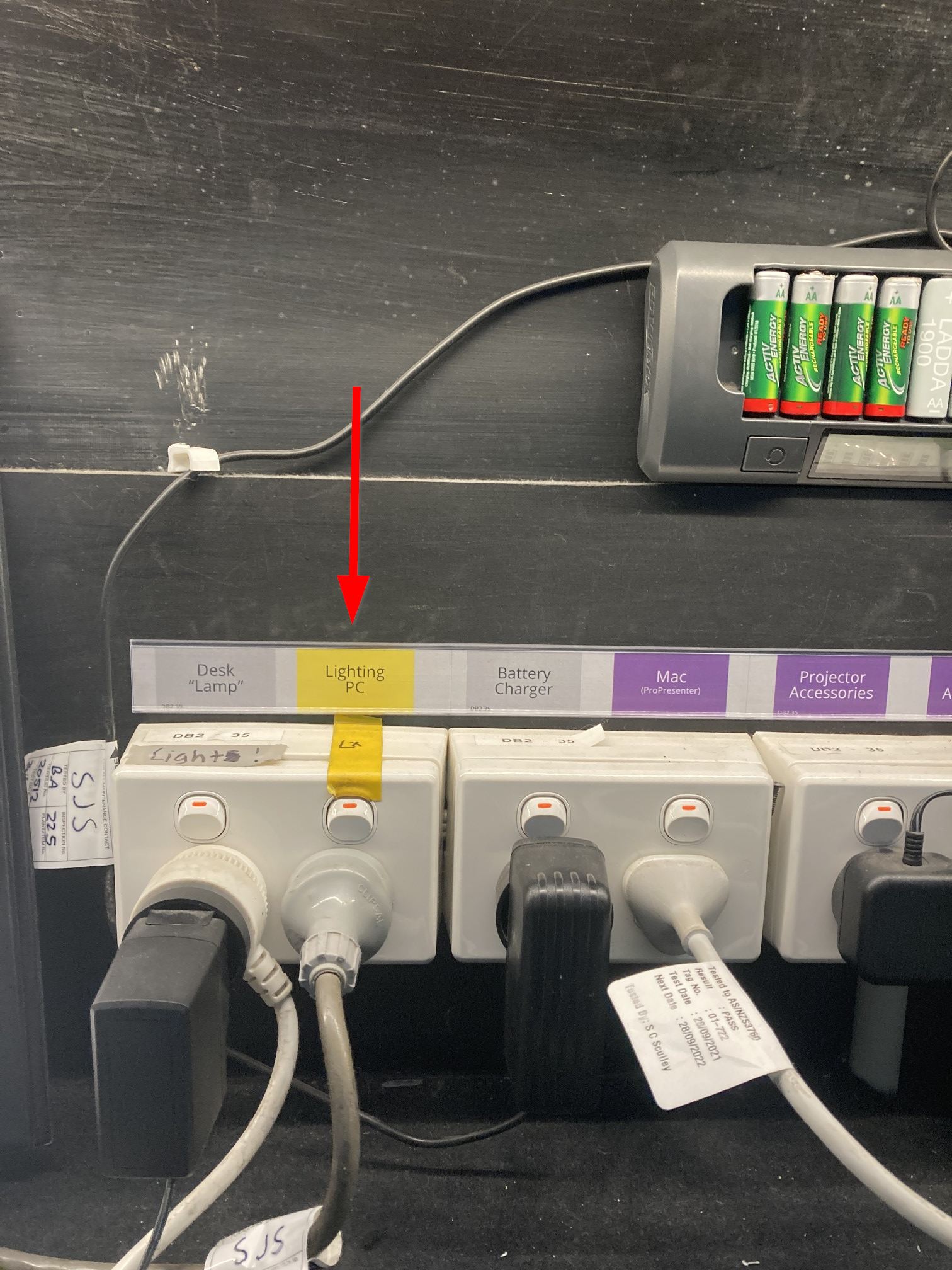
- Turn on "Lighting PC" switch to the right of audio mixer (between the mixer and the mac).
- Boot White Lighting PC.
- Turn on:
- 3 Phase Dimmer
- 3x Lighting circuits on back wall.
- 4x Lighting circuits on column on the left of the stage.
- Wait for Onyx to Load.
Turning Off
- Press "Packup Time (DO NOT ACCIDENTLY PRESS) cue button. Clear anything within the programmer. All lights should be off / in their home position.
- Switch everything off in the reverse of "Turning On"
Detailed
The power circuits for the Auditorium are located both within the sound booth and on the stage.
- Turn on "Lighting PC" switch to the right of audio mixer (between the mixer and the mac).
- Boot White Lighting PC.
- Turn on:
- 3 Phase Dimmer
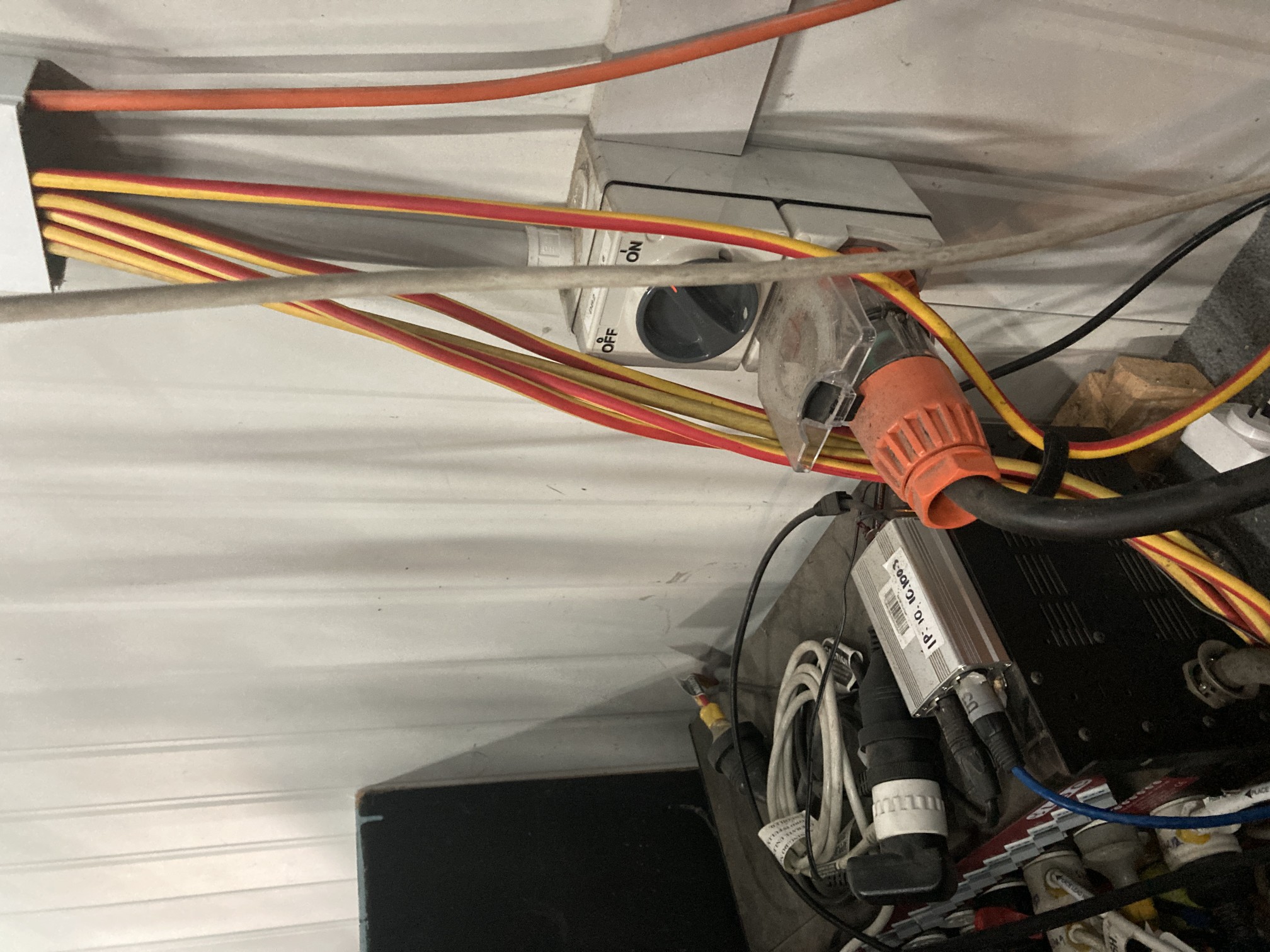
- 3x Lighting circuits on back wall.
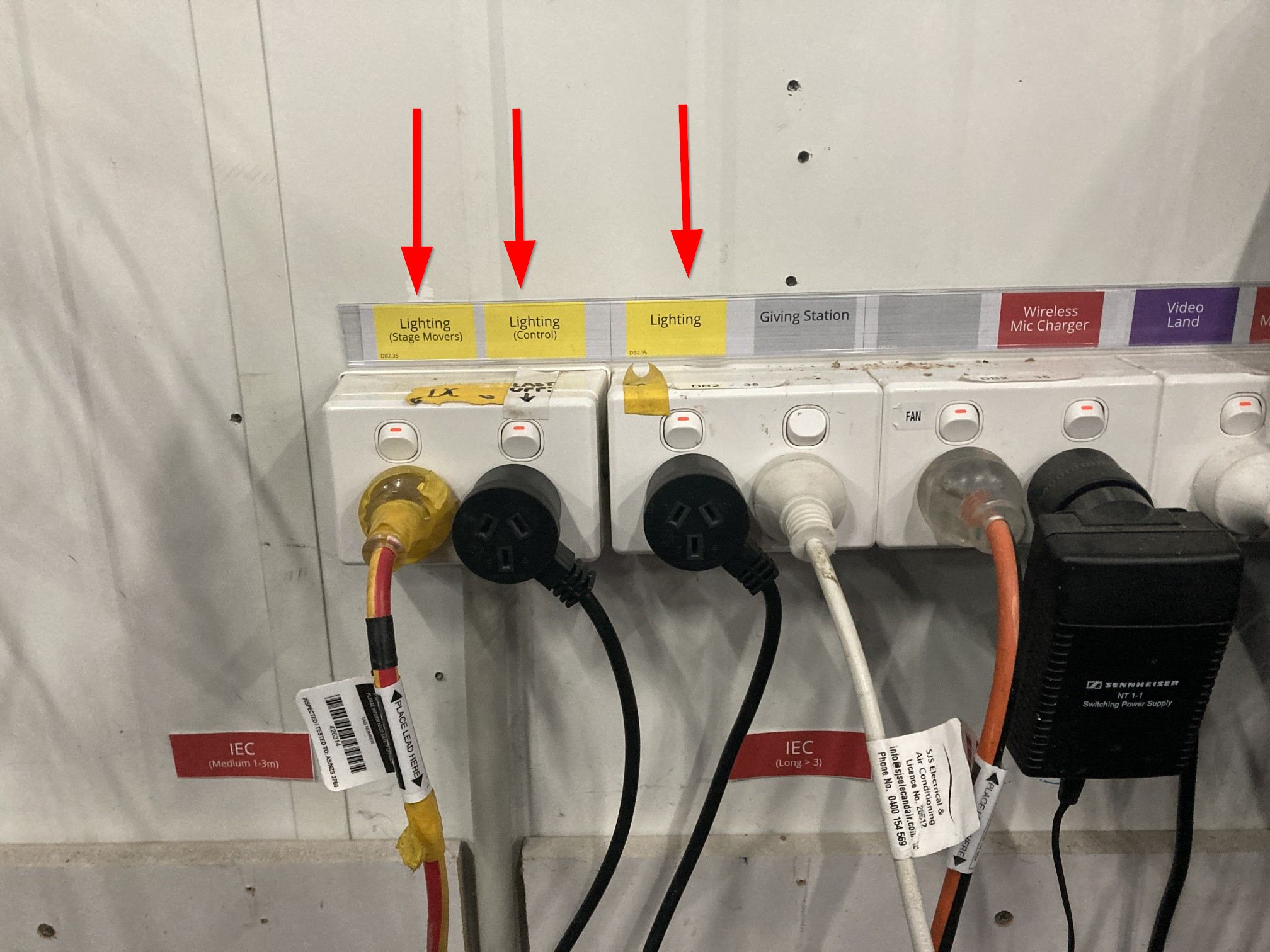
- 4x Lighting circuits on column on the left of the stage.
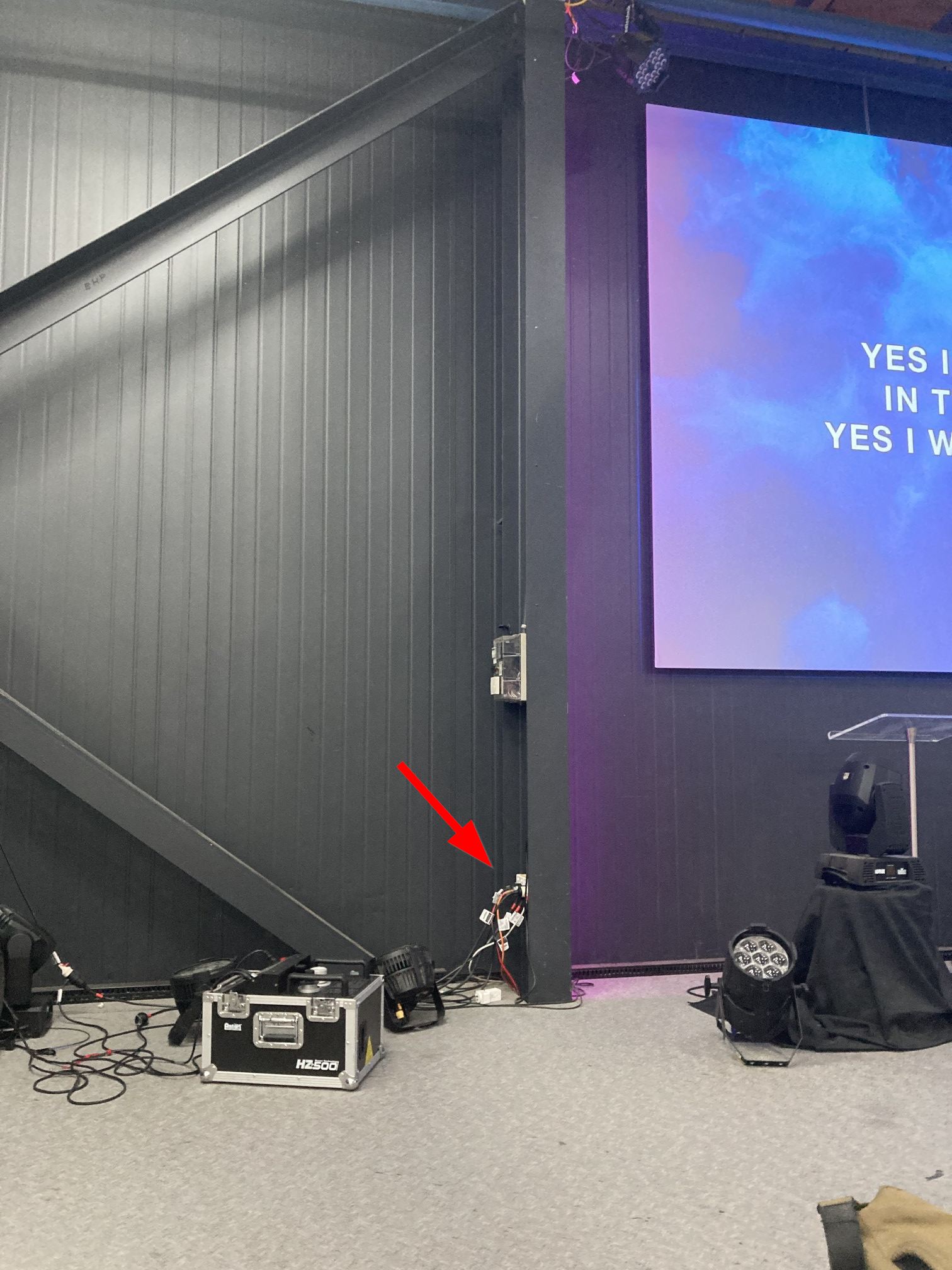
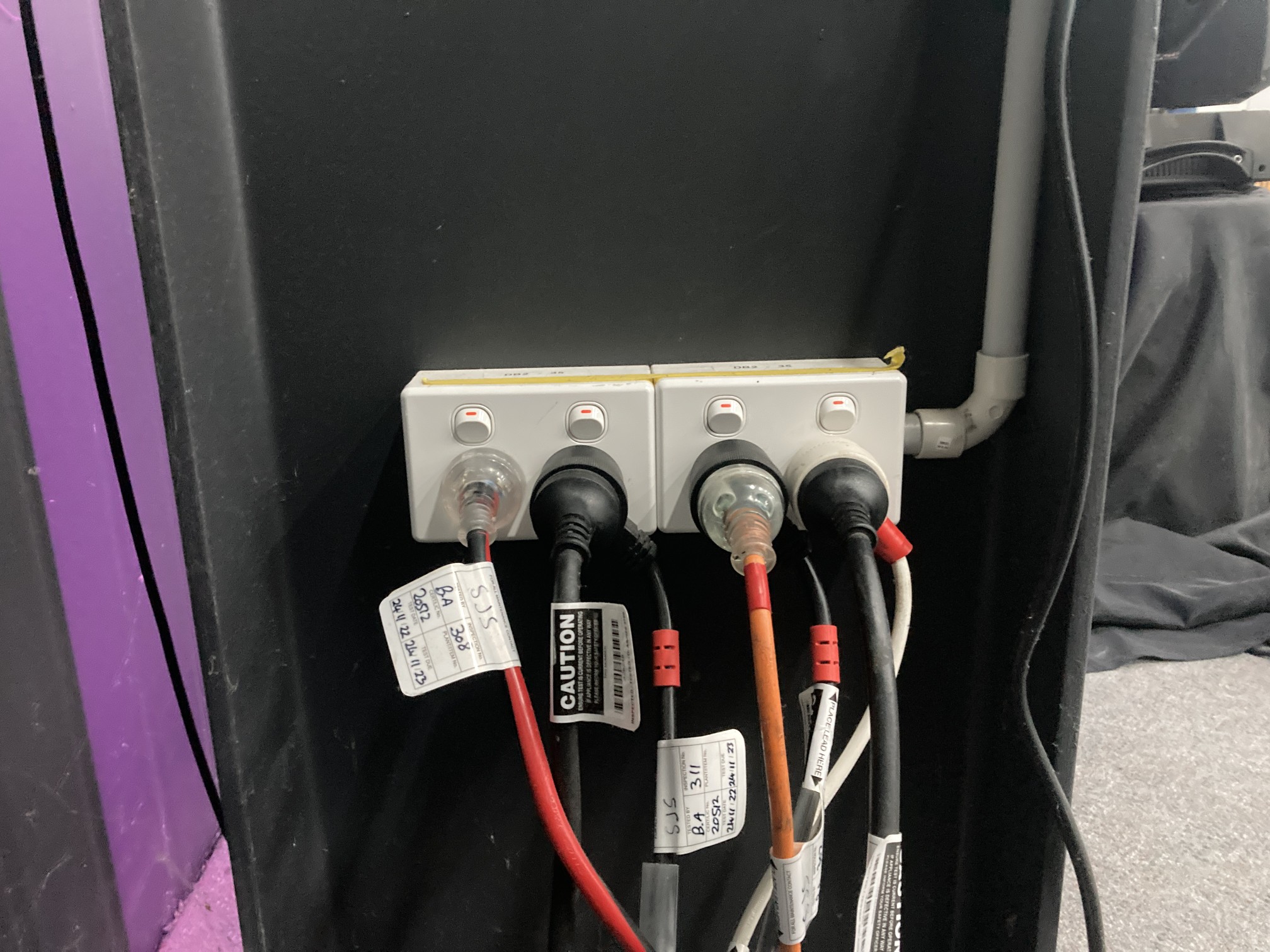
- 3 Phase Dimmer
- Onyx should automatically load. Onyx is made up of 2x pieces of software:
- Onyx
- Onyx Manager
Turning Off
- Press "Packup Time (DO NOT ACCIDENTLY PRESS) cue button (top right of the 'Playback Buttons' screen). Clear anything within the programmer (Press Clear, then Clear again).
All lights should be off / in their home position. - Switch everything off in the reverse of "Turning On".